
Chart plugins
Put ADVISR on the chart you already read.
Add the ADVISR or ADVISR+ plugin to TradingView or moomoo. Choose your platform below for the exact installation path.
Choose a platform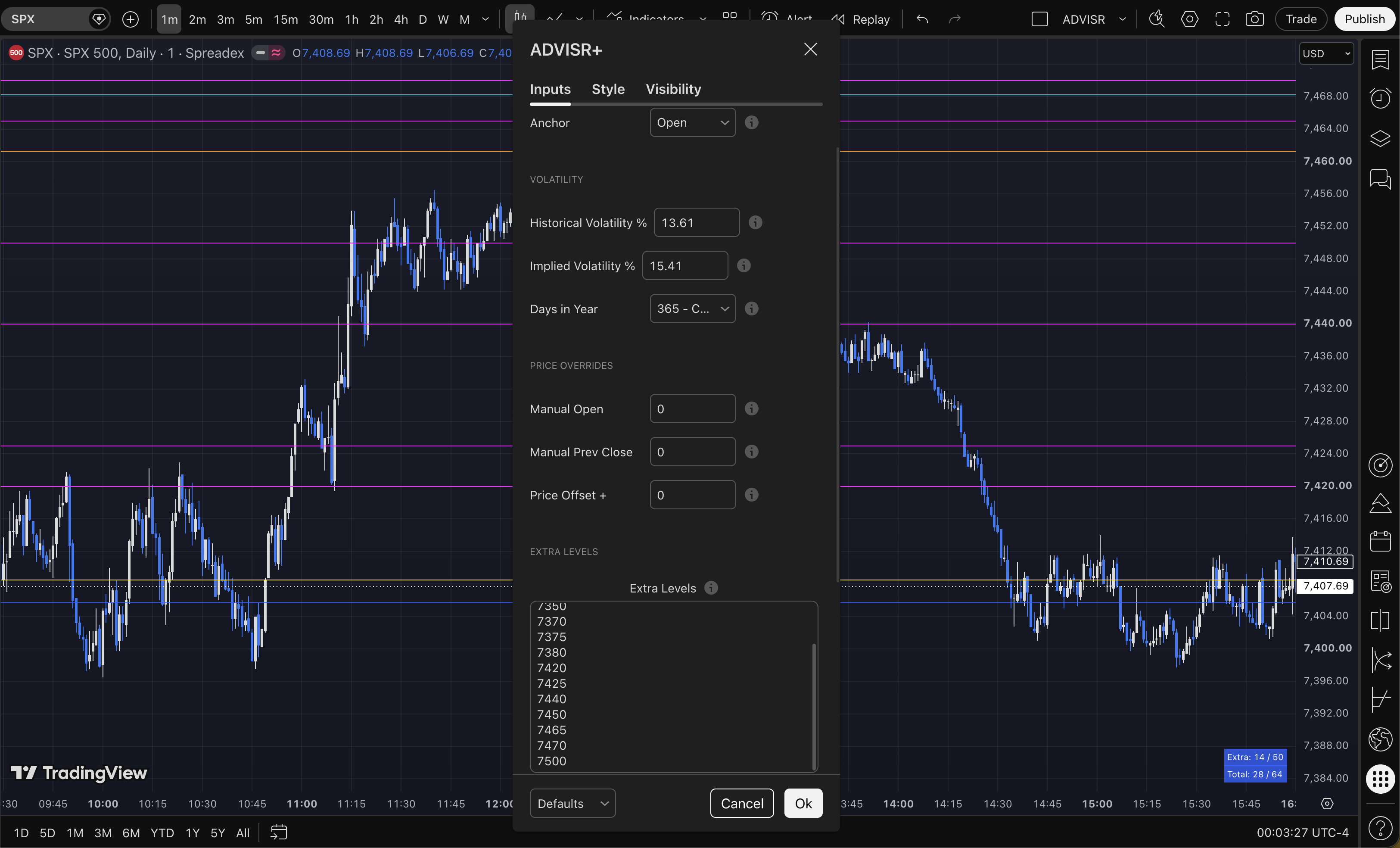
Before you paste
Choose the version that fits your chart.
Use the ADVISR script file included with your purchase. You will save it in TradingView as ADVISR.
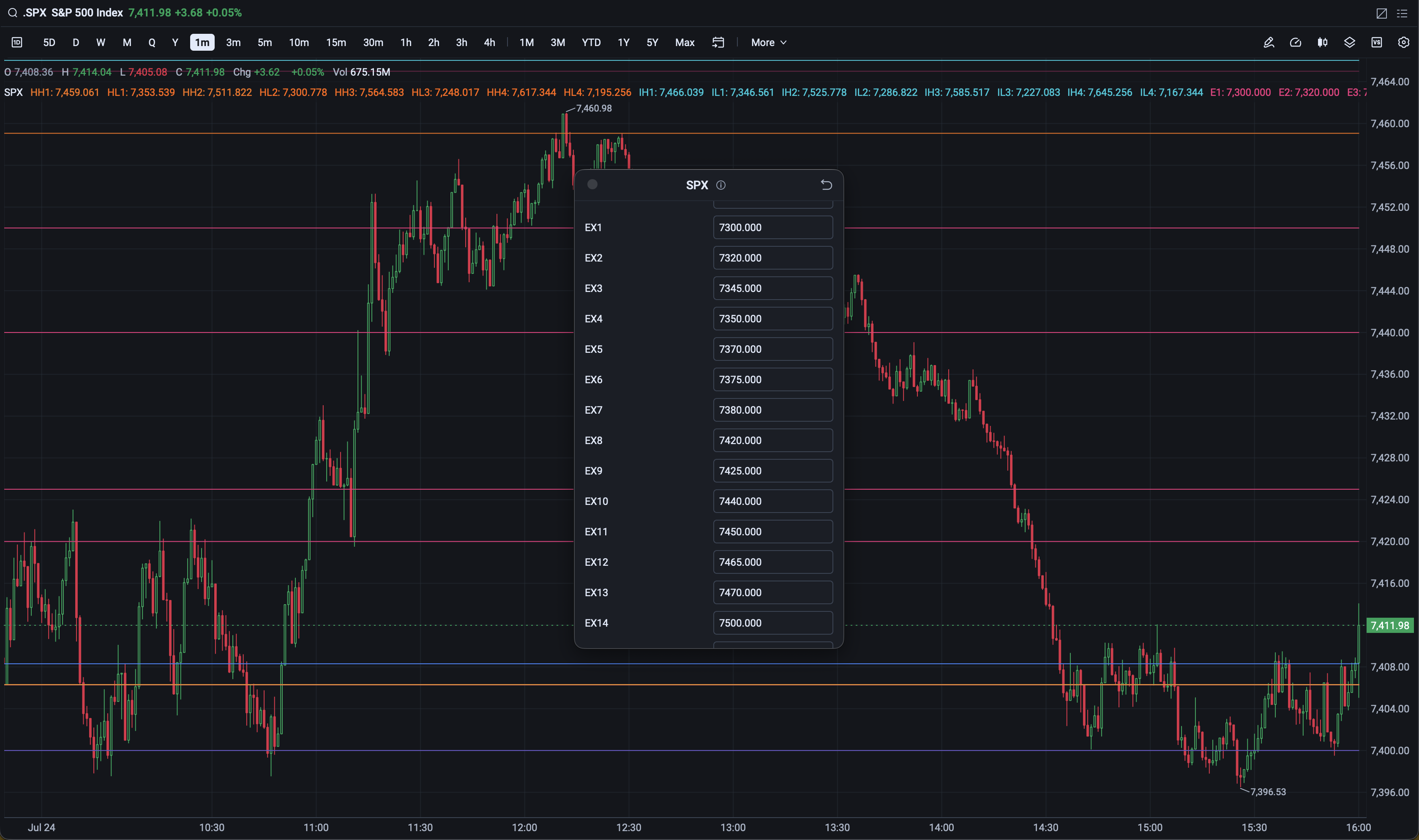
moomoo · Mai Script
Import one version for each symbol.
moomoo binds each imported ADVISR indicator to the symbol entered in its Symbol field. Repeat the import for every symbol you want to use.
Anchor note: Any input above 0 in Anchor makes the anchor the previous close.
Decimal-entry note: Enter each decimal one digit at a time.
Interactive walkthrough
Five clicks from file to chart.
TradingView’s layout changes occasionally. Each step includes the alternate route when a control is not visible.
moomoo walkthrough
Import it once for every symbol.
The important quirk: the Symbol field assigns the imported indicator to that exact ticker. It is not a general chart setting.
That’s it
Your levels are ready for input.
After adding the indicator, open its settings on the chart to enter the session inputs supplied by ADVISR. Use ADVISR+ when you also want to bring your own extra levels across.
Third-party platform notice: TradingView and moomoo are third-party platforms. ADVISR is not affiliated with, endorsed by, or sponsored by TradingView, Inc. or Moomoo Technologies Inc. Platform screenshots are shown only to explain installation and compatibility. Charts by TradingView. TradingView and moomoo names and marks belong to their respective owners.